It's been about a month since @Susquatch pulled the plug and ordered a printer. I'm wondering if he's going to post a photo of his shop now that he's started 3D printing. Something like this maybe?
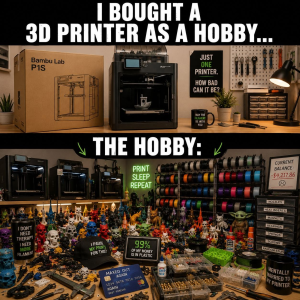


Something like this maybe?
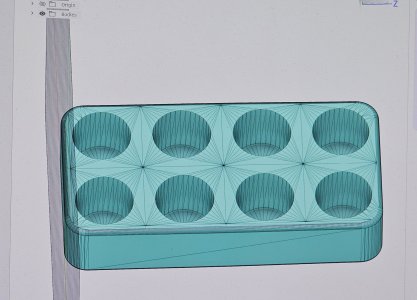

That's what an stl file looks like.Nope, no shots like that or even close.
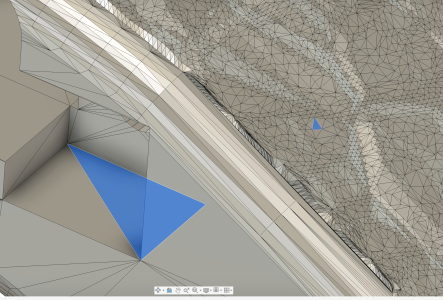
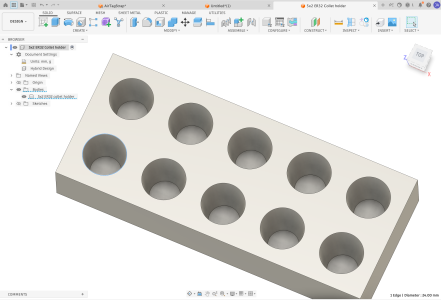
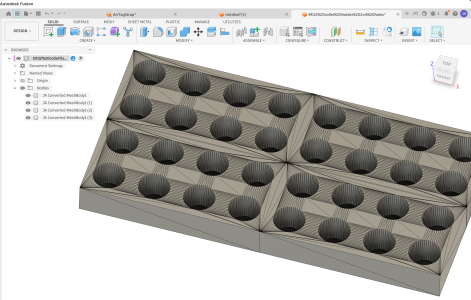
I downloaded the collet holder I printed into Fusion 360. It came through looking like this.
View attachment 84728
Doesn't look like anything I've ever seen before. What the heck am I looking it at?

In an STL file, everything is a triangle.Nope, no shots like that or even close.
I downloaded the collet holder I printed into Fusion 360. It came through looking like this.
View attachment 84728
Doesn't look like anything I've ever seen before. What the heck am I looking it at?
In an STL file, everything is a triangle.
That's what an stl file looks like.
In the slicer you can increase X,Y and Z by whatever you want, either individually or as a group.So, can that be edited? Say to turn a 4x2 block into 10 x 4?
So, can that be edited? Say to turn a 4x2 block into 10 x 4?
Sadly so few people use Alibre but I'll always provide the actual drawing file (AD_PRT) if someone wants it. Certainly a STEP file otherwise.Ppl really should be sharing the source file for the stl's, even aStep file would do Any designs that I upload get the accompanying Fusion f3d file.

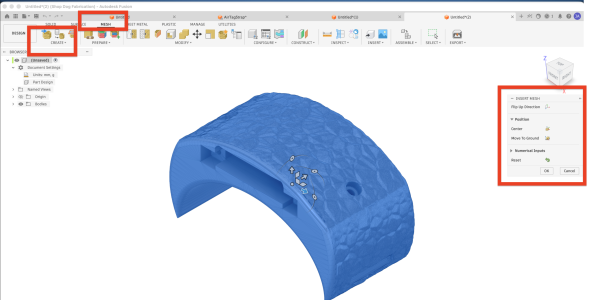
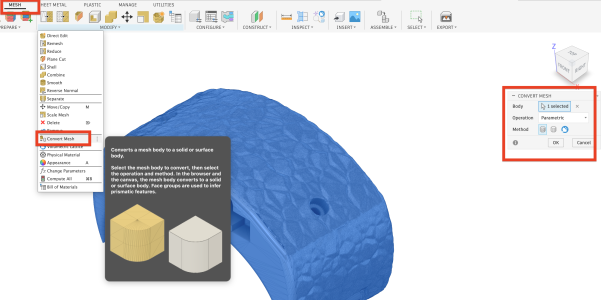
That looks similar but not quite the same to my ER32 model on https://www.printables.com/model/292591-er32-collet-holder-trayNope, no shots like that or even close.
I downloaded the collet holder I printed into Fusion 360. It came through looking like this.
View attachment 84728
Doesn't look like anything I've ever seen before. What the heck am I looking it at?
perhaps ask the designer for a copy of the original CAD file?
There is a new tool available to convert stl to actual CAD: backflip.ai.
Alternatively, if you need a custom design/modification in CAD, I could whip together your design in about 20 minutes.
Interesting. Do you actively use it yourself? I've read some comments from people who deal with labour intesive 3D scans they 'wish' for AI assistance. Maybe that day is here.There is a new tool available to convert stl to actual CAD: backflip.ai.

 www.backflip.ai


20 a month sounds ok but it is only 2 projects a month if you have a more complicated project @ 50 credits each. 10 simple jobs at 10 credits each sounds better but if you are doing something iterative it could add up quickly. Might be worth the free trial.If anyone wanted a tutorial, say for example, implementing a simple design, I'm sure I could walk through the process in real time to speed up the learning process. Depending on the design, its often faster to simple re-do the model from scratch..
To answer another question about backflip.ai, I personally have not used it myself. I do work in software, and use AI on a day to day basis. The fact that they use a foundation model gives me hope that it is good at what it claims. Probably worth throwing $20 at it with a few projects in mind. I would think converting 3d scans to CAD is the ultimate use case for this.