• Scam Alert. Members are reminded to NOT send money to buy anything. Don't buy things remote and have it shipped - go get it yourself, pay in person, and take your equipment with you. Scammers have burned people on this forum. Urgency, secrecy, excuses, selling for friend, newish members, FUD, are RED FLAGS. A video conference call is not adequate assurance. Face to face interactions are required. Please report suspicions to the forum admins. Stay Safe - anyone can get scammed.

Winblows 10 laptop missing network issue

JustaDB

Ultra Member
Have a laptop running Win 10. Took it to the cabin last summer & when i clicked on the wifi icon, the cabin network wouldn't show. No biggie, I surfed using my lovely bride's tablet. It was the only network I haven't been able to find.

We just upgraded our Robber's router at home tonite, the brand new, shiny network doesn't show up in the list on the laptop, so I can't connect directly to wifi. Robber's tech support was no help (quelle surprise...)

Thoughts? Win 11 is not an option.
 
Do any networks show?

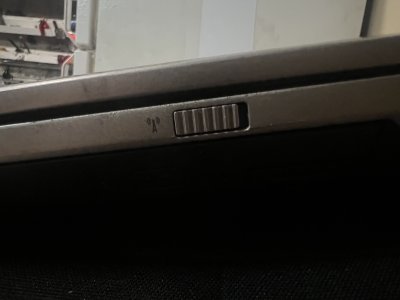
I ask because my old laptop would do this once and awhile and show no networks. Turned out sometimes when picking up the lap top, the manufacturer (will look at it in a bit when I go to the basement) put a network on/off switch on the side of the laptop... stupidest thing id ever seen in a stupidest place ever lol

I'll take a pic of it when I look
 
this stuff is perfect AI. Vs search it is interactive, will have you run tests, listen to your explanation etc.... apologies if singing to choir but it is by far the best way to come at IT problems in my view
 
Do any networks show?

I ask because my old laptop would do this once and awhile and show no networks. Turned out sometimes when picking up the lap top, the manufacturer (will look at it in a bit when I go to the basement) put a network on/off switch on the side of the laptop... stupidest thing id ever seen in a stupidest place ever lol

I'll take a pic of it when I look
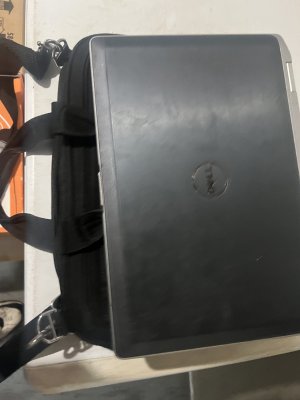
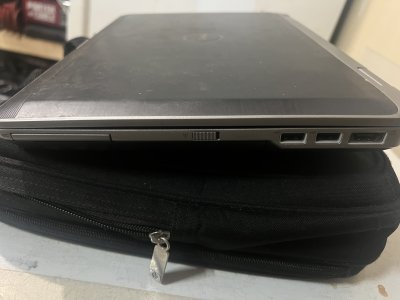
Here are the pix of my old craptop and network switch in a stupid spot…
 

Attachments

  • IMG_8133.jpeg
    IMG_8133.jpeg
    1.3 MB · Views: 3
  • IMG_8135.jpeg
    IMG_8135.jpeg
    1.9 MB · Views: 3
  • IMG_8134.jpeg
    IMG_8134.jpeg
    1 MB · Views: 3
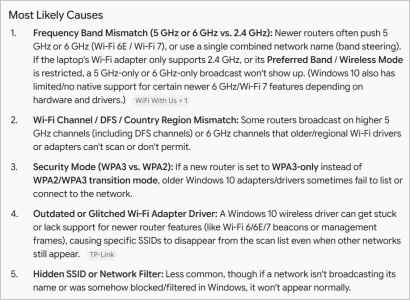
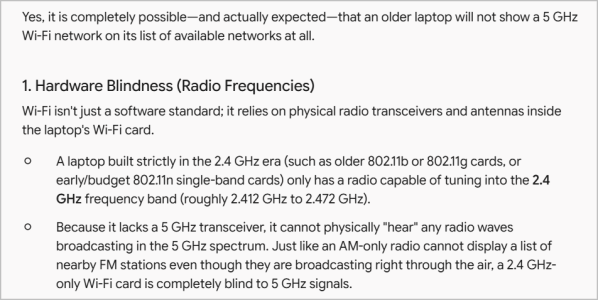
Possible that the laptop only supports 2.4 ghz wifi and the network you can't see is only broadcasting 5 ghz.

Point-1 of post #2. Its not clear in the thread when the 'new' router(s) entered the mix, but the combination of 5-GHZ router + 2.4-GHZ card means the laptop potentially cant see it. If so, nothing to do with OS.
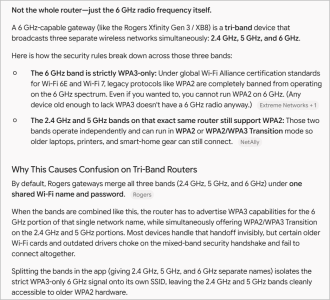
OP never really expanded if laptop is seeing ANY networks (notably older 2.4). But if you expand the post #2 Gemini link, the OS can definately have a say in this even if the card is capable.

1795110948002.png
 
Unrelated but just FYI, when I upgraded my Rogers/Shaw router it came as 5-GHZ. Great for pumping to the TV. Not great for many ancillary devices that require 2.4 - printers, scanners, camera door bells, alarm-systems... In my case I had to configure/enable a 2.4 split band, I think they call it band steering. So this makes a different dedicated 2.4 SSID & the 2.4 devices have to point to that SSID.
Now here I am on shakey ground but I think its possible to get a router box that is not configuarble to 2.4, just 5.0+ Now is this a function of the box hardware or telecom provider...???
 
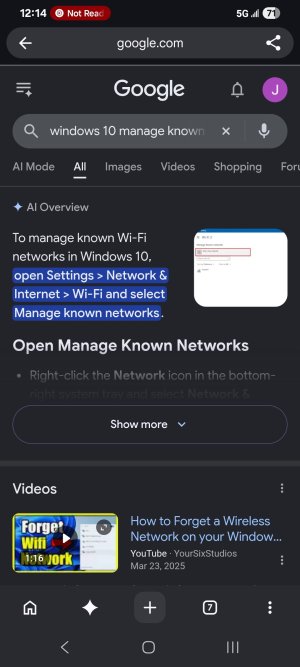
Have had this happen before if there is too many saved networks in the list.
Go into manage known networks and delete whatever you no longer wish to have saved.
Restart laptop and try again
 

Attachments

  • Screenshot_20261119_121456_Chrome Beta.jpg
    Screenshot_20261119_121456_Chrome Beta.jpg
    202.2 KB · Views: 3
OK, been pounding the hell out of this. Finally figgered it out w/ the help of a buddy in IT. Thx, Simon. Owe ya a beer.

I purchased this laptop as an inexpensive refurb around 3 years ago. I discover today that it was manufactured in 2017, so fairly old.

Long story short, found the router's IP addy, logged in & discovered it uses WPA3 security & is non-user configurable. Checked the laptop, it will only recognize WEP, WPA & WPA2. Went to Intel's website & downloaded an updated driver. Attempted to install, terminal error, Rinse, repeat. Looks like the driver cannot be updated, likely due to the computer's age.

Unless I can talk Robber's into changing the router's security protocol, I'm SOL on the new router. I have an older router that I can connect to, but it's reach is limited & therefore intermittent & slow.

Thx everyone for your input.
 
Finally figgered it
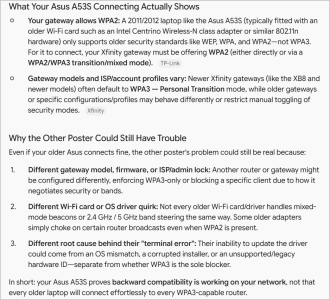
When you say Robbers is that a twist to mean Rogers? I have a 2011 vintage laptop that connects to a newish Rogers Xfinity 5.0. Now I cant recall if this was before I did the 5.0/2.4 band splitting, it found the 2.4 SSID & I just left it there. It connected under both Win-7 & Linux Mint so not OS related. And card is definatly not WPA3 capable. Not sure if this is a datapoint but this is what Gemini said re WPA2 & 3 on my specific gateway

1795192078412.png

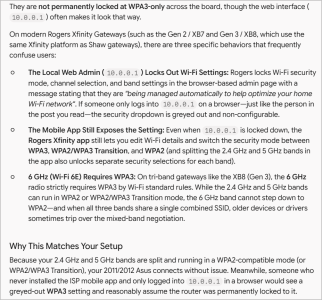
I then asked if any of Rogers current offerrings are locked to WPA-3
1795192174910.png

and this
1795192197284.png

So is your IT guy saying he cant configure a 2.4 band on your new router which might solve the problem that way? (vs trying to ovverride WPA3 which I can envision would be futile)?
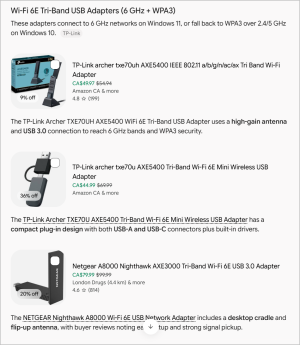
I am certainly no techie but its hard to even do a reasonable search without elaborating on specific hardware. Apparently you can buy a plug-in device to bridge the gap if teh band splitting is a dead end. Now whether THAT requires a more modern USB standard beyond your laptops capability is another question :/
1795192383589.png
 
When you say Robbers is that a twist to mean Rogers?
Yes. I quit them around 15 years ago as a cellular supplier. Their prices & service sucked. Without getting into the details, I was on the phone w/ one of their trained seals for 1-1/2 hours the other night. He was an idiot. Three times I asked for his supervisor. Every time I'd ask, he'd put me on hold & try harder. Actually made progress, but still didn't handle the basic issue, which I won't get into here. I finally got a manager. 20 minutes later, all my questions answered about our new router & cable boxes & my concerns about the trained seal addressed.

The issue w/ my laptop cropped up later, called support once more, got another idiot who never even bothered listening to what I actually said & started me down this rabbit hole that had nothing to do w/ my initial problem. I hung up on him.

It's nice to see that Shaw's takeover by Robber's has done nothing but reinforce my negative experience w/ them.

The new router is an Xfinity, but I don't know what model. Tall, rectangular cube, cream colour, single wide light top front. The default on 2.4/5 GHz is WPA3-Personal Transition, discovered via 10.0.0.1 through my browser. The driver I downloaded from Intel was for both Win10 & 11. I think the number I put into the search was 7265. Tried installing it twice, no joy. Don't recall the exact error msg, but something along the line of "Fatal Error". There was no indication what the error was, even in the log. I assumed (I know, I know...) I had unsupported hardware.

Huh. Interesting. I will have to try that goofy app.

Yes, the router indicates it transmits at 2.5, 5 & 6 GHz. I know my laptop can receive 2.4 & 5 only.

My IT guy, like me, was unaware that settings could be changed via the Robber's app. I'll pass this on to him & give it a try myself.

Great information, Peter. Thank you for your effort!

 
It's nice to see that Shaw's takeover by Robber's has done nothing but reinforce my negative experience w/ them.
The other way around, Rogers took over Shaw. Which is the reason for my rude awakening of their <cough> service. Usually the ritual is you must spin your wheels with a chatbot for half an hour & only then get elevated to a humanoid. If the Telus takeover goes through I foresee similar pain. We pay some of the highest rates for cell & internet in G7, but apparently our government has other money burning priorities.
 
Back
Top